Assist profile
- New to MX games
- Amateur
- Coming from MX Bikes or older MXGP
- Expert, or Pro then assists off one by one
Amateur helps a lot in the air; Expert gives full free control including free whips and scrubs.
Checked after hotfix 1:
Amateur helps a lot in the air; Expert gives full free control including free whips and scrubs.
Off by default. On, a HUD marker shows your stance and rider weight changes how the bike behaves.
Four levels, Amateur to Expert. Launch players with MX game experience found Pro beatable from the start.
The heavy-cornering complaint is the most common refund reason; this is the first setting to try.
Hotfix 1 smoothed first-person shake; Nacon says FOV still changes how much you feel it.
The first thing the game asks is your assist profile. Nacon describes Amateur as giving "plenty of help in the air while you learn". Higher profiles hand control back to you, and at the top you get free whips and scrubs: the bike goes where your input sends it, good or bad. A Spanish review puts it well: the whips are really free, so you can make terrible ones or great ones.
Our advice is to drop the air assists first. That is where the game feels most different from older MXGP titles, and it is what the scrub and whip guide builds on. Keep ground assists a little longer while you learn how the ruts behave.
Off by default. Turning it on adds a HUD element for your stance, and your weight changes how the bike behaves. Bind it to a button you can reach without letting go of steering (see controls). It is worth turning on once you are comfortable, because it gives you one more way to settle the bike into a rut.
The Bike Setup menu lets you tune the bike, and winning on a tuned bike unlocks Pro Bike Mechanic. Nobody has published tested setup values for this game yet, so we are not listing numbers. Change one thing at a time and run the same Time Attack track to compare.
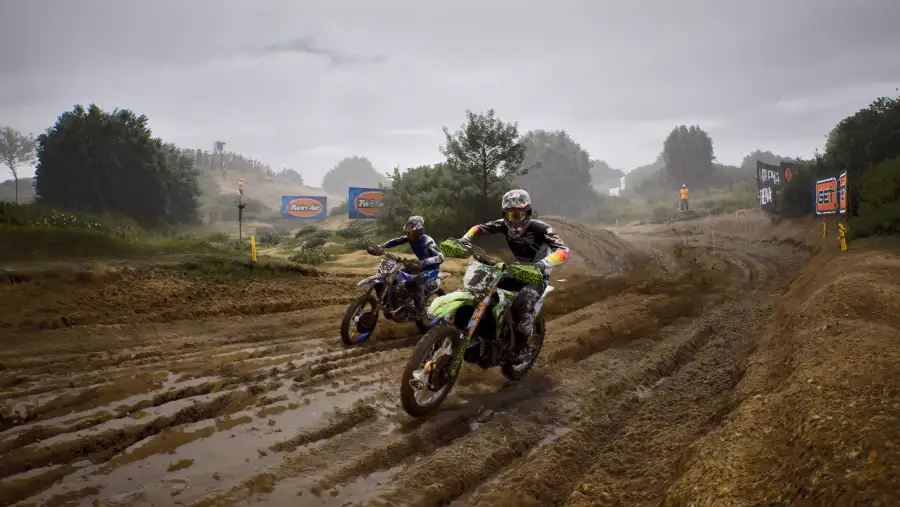 Launch Trailer
 PC graphics settings live on the PC performance page.
Once you can hold a line, yes. Several positive reviews say the physics only feel right with all assists off, and the Hotshot achievement needs a race without any.
Nacon switched it off in the first PC hotfix because it could stop the bike accelerating.
One reviewer copied the settings from Troyjannn's video "MY HONEST REVIEW OF MXGP 26..." and says the handling is satisfying with assists off. His settings segment starts at 10:58 in that video (chapter "My Settings"), next to chapters on suspension, sit/stand, braking and first person.